
Activate Biometric login
Learn how to set up biometric login (facial or fingerprint recognition) on the mA.I Health™ app.
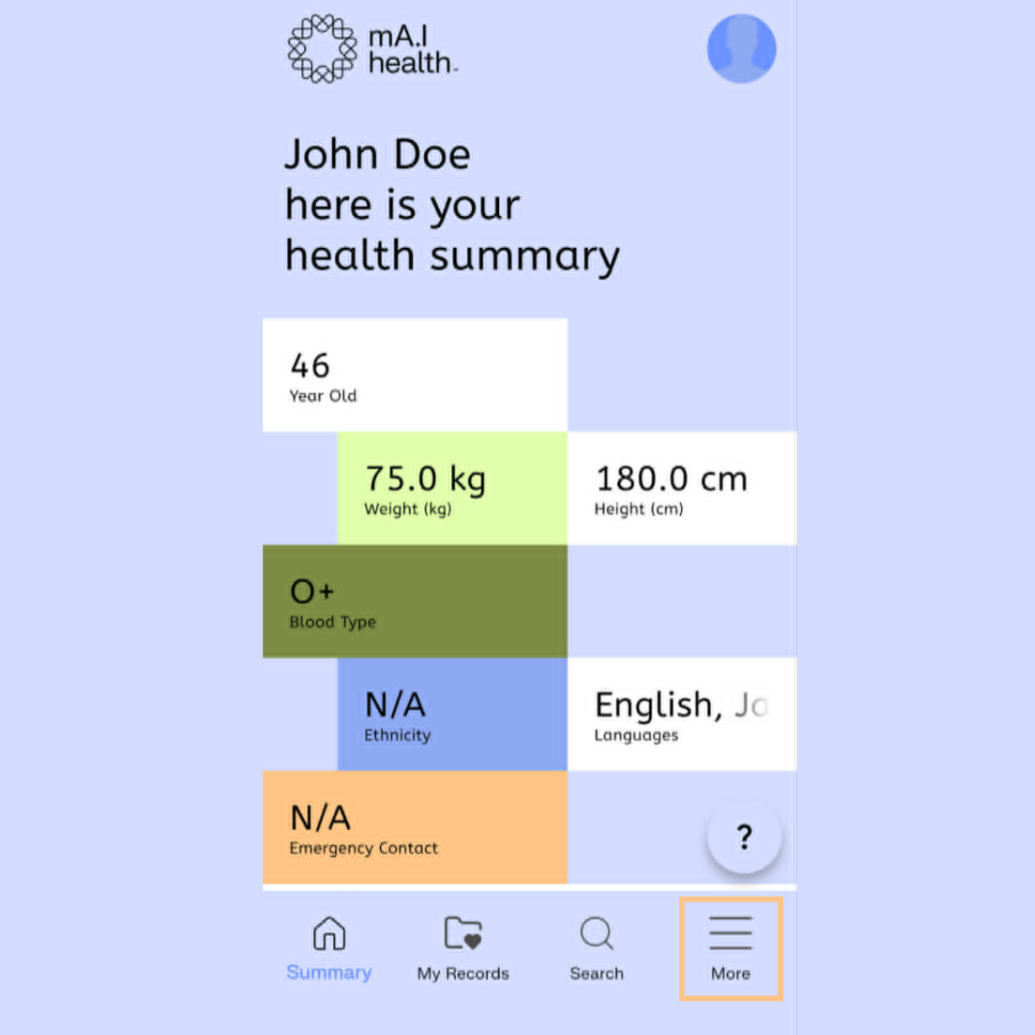
To begin, navigate to the More menu in mA.I Health™ app, by selecting the three lines in the bottom right hand corner.
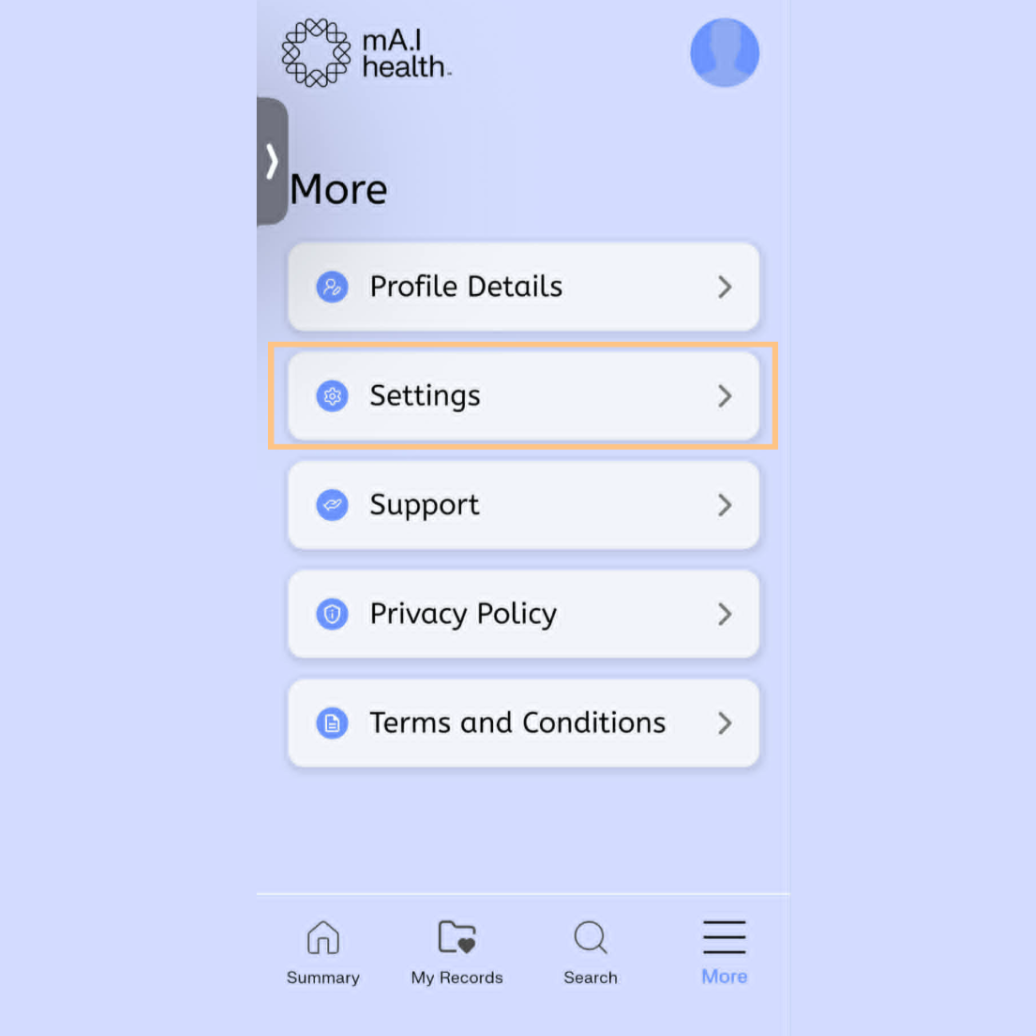
On this screen, select the Settings option…
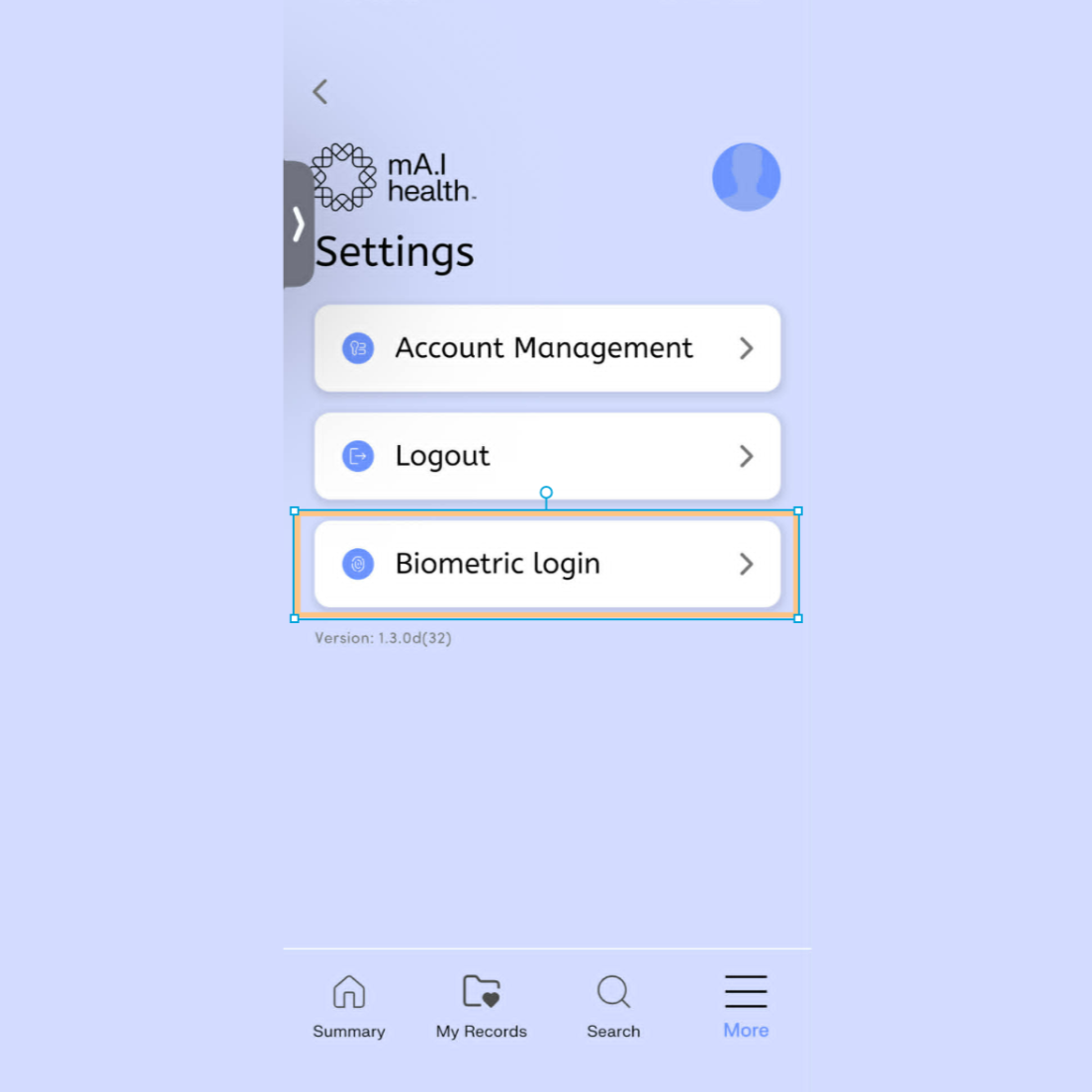
…then select Biometric login.
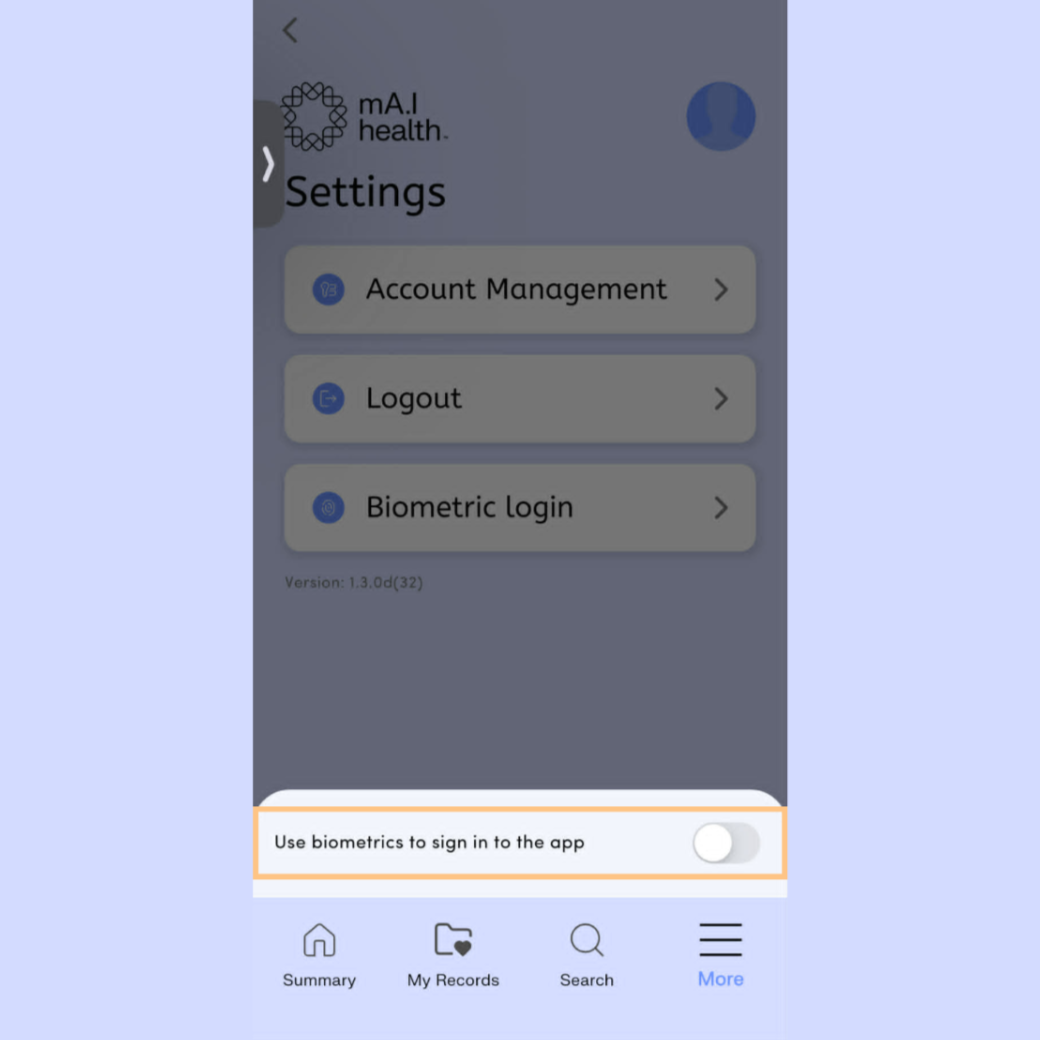
Activate the toggle to turn on Biometric login. Your device will then prompt you for facial or fingerprint recognition to confirm and complete the setup.