
Creating sub accounts for dependents/loved ones
The mA.I Health™ app allows you to set up separate sub accounts within your profile for your family and dependents so that you can manage and access all of their medical information.
Learn how to set up a sub account for a child or dependent on the mA.I Health™ app.
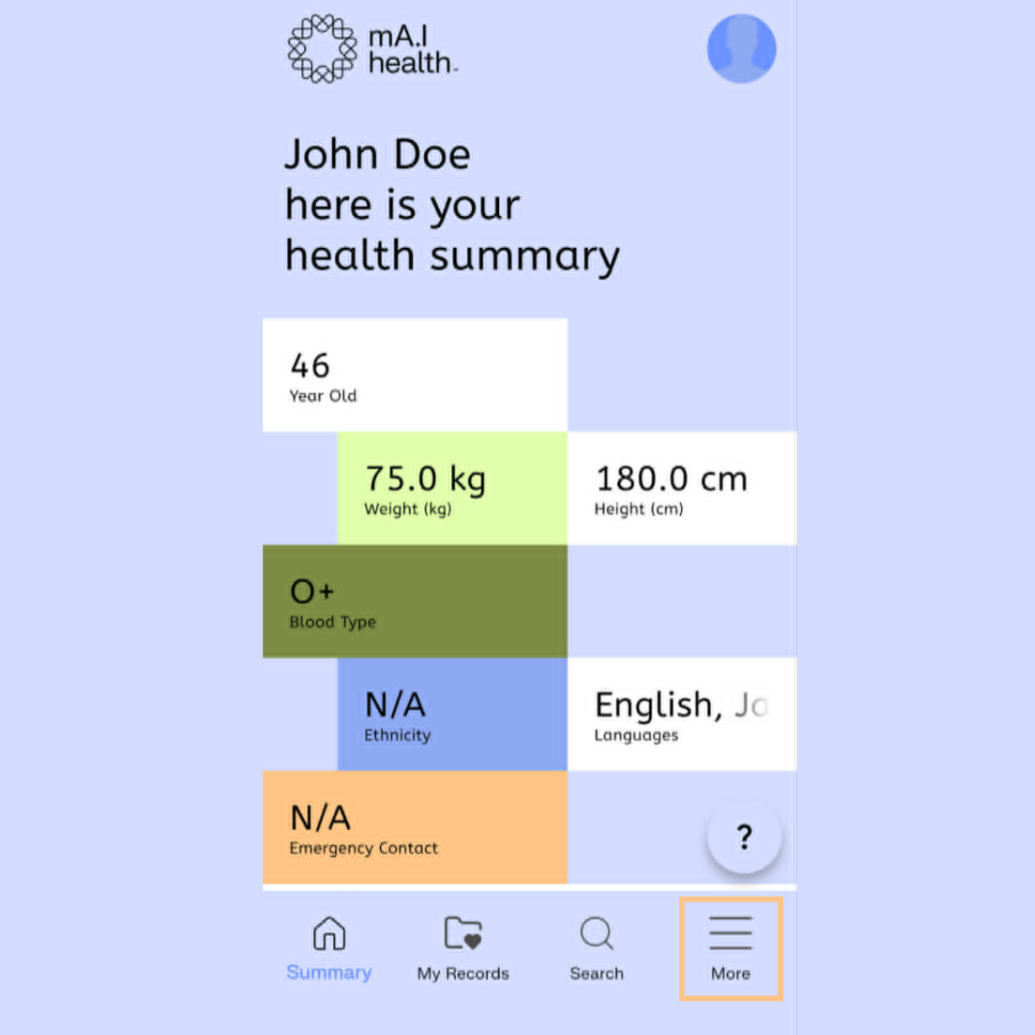
To begin, navigate to the More menu in mA.I Health™ app, by selecting the three lines in the bottom right hand corner.
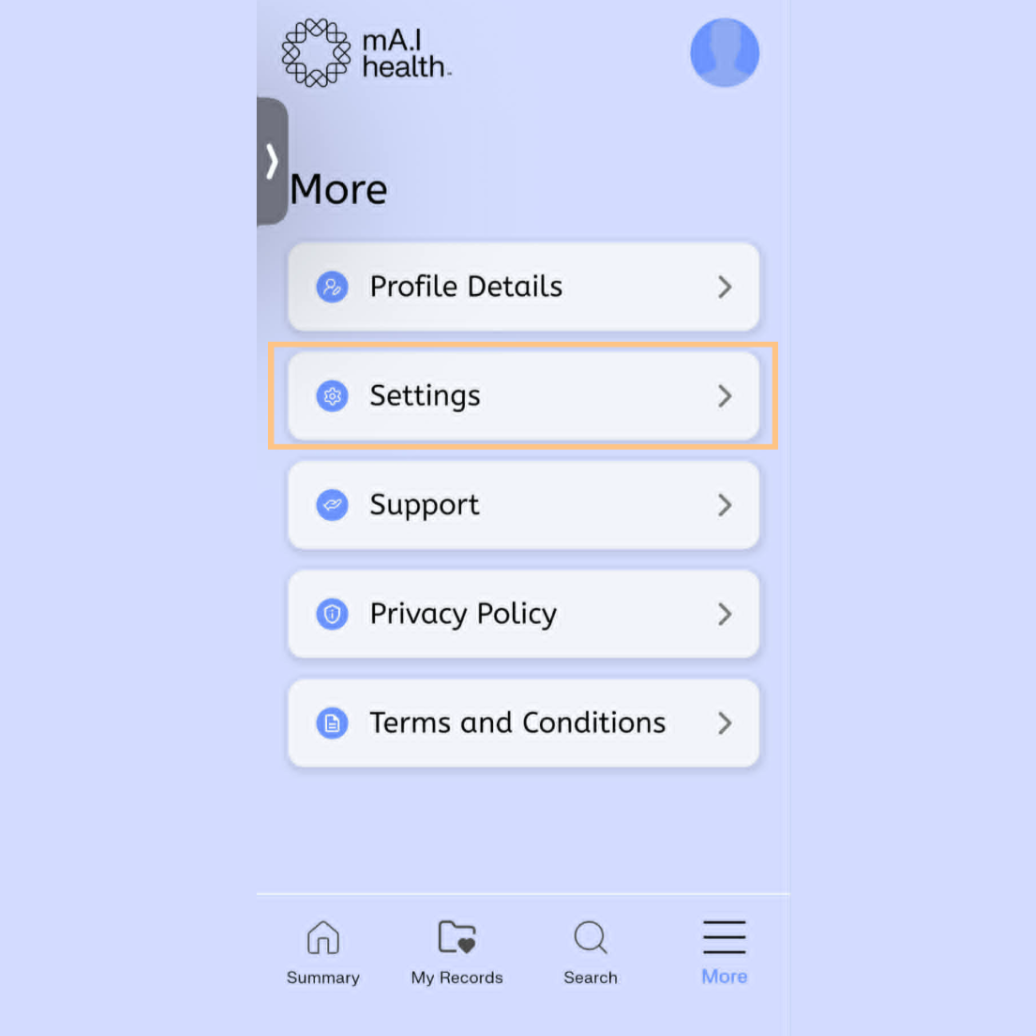
On this screen, select the Settings option…
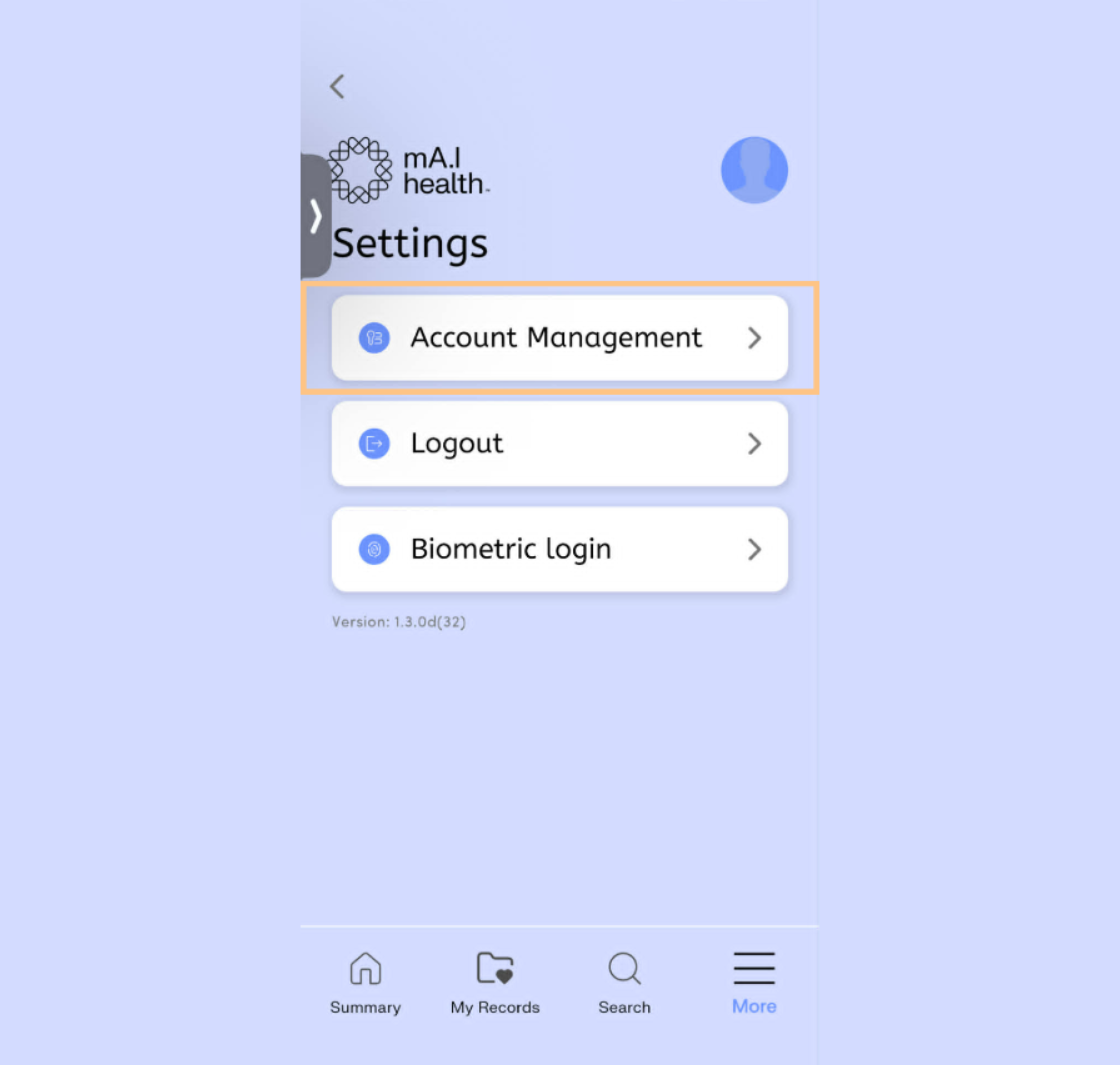
…then select Account Management.
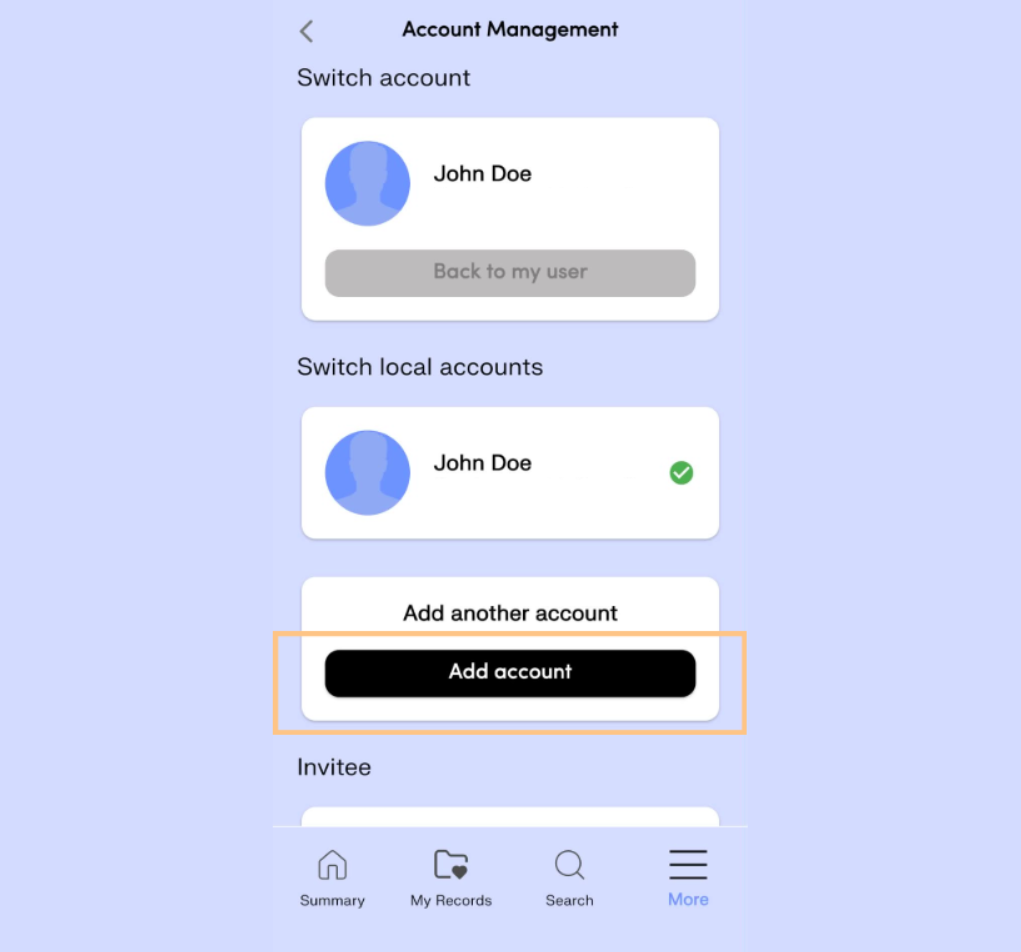
Click the Add Another Account button.
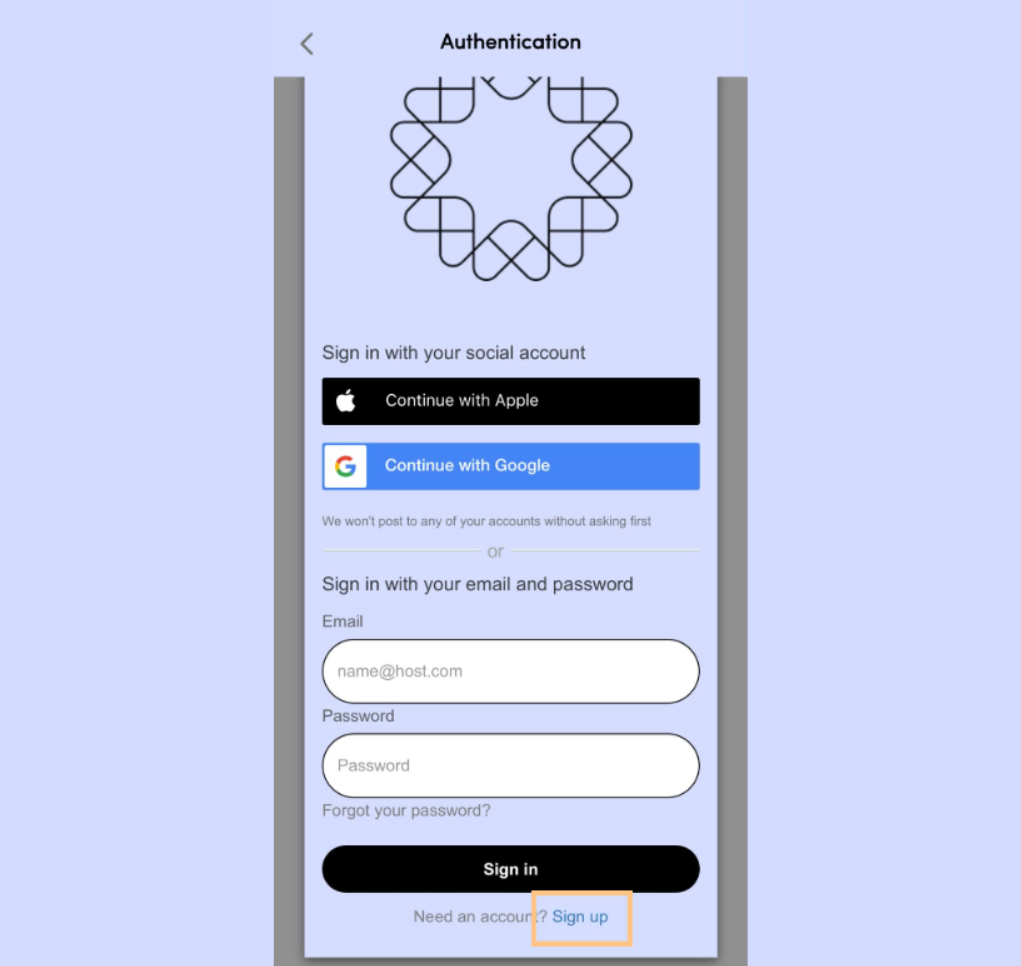
You’ll be taken to a screen similar to the one you use when logging in.
Select the Sign Up button, then fill out the onscreen form. Note, you will need to use a different email for this new account. When finished, select the Sign Up button.
You will receive a verification email sent to the email address you just linked to the new account. Follow the instructions in that email to verify, then click the Continue button.
Then, log in with this newly created sub-account.
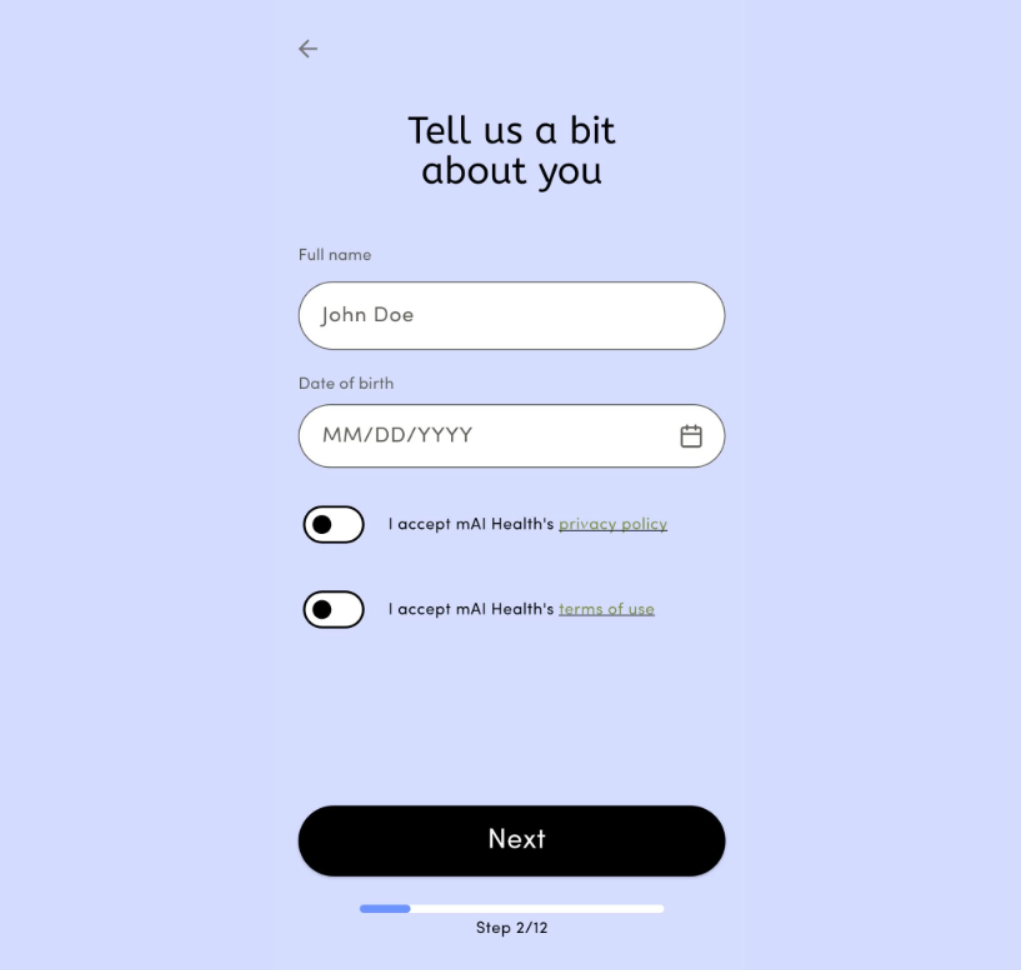
Follow the onscreen prompts to set up the relevant information for this new sub-account. The process is the same as when you set up your initial account.
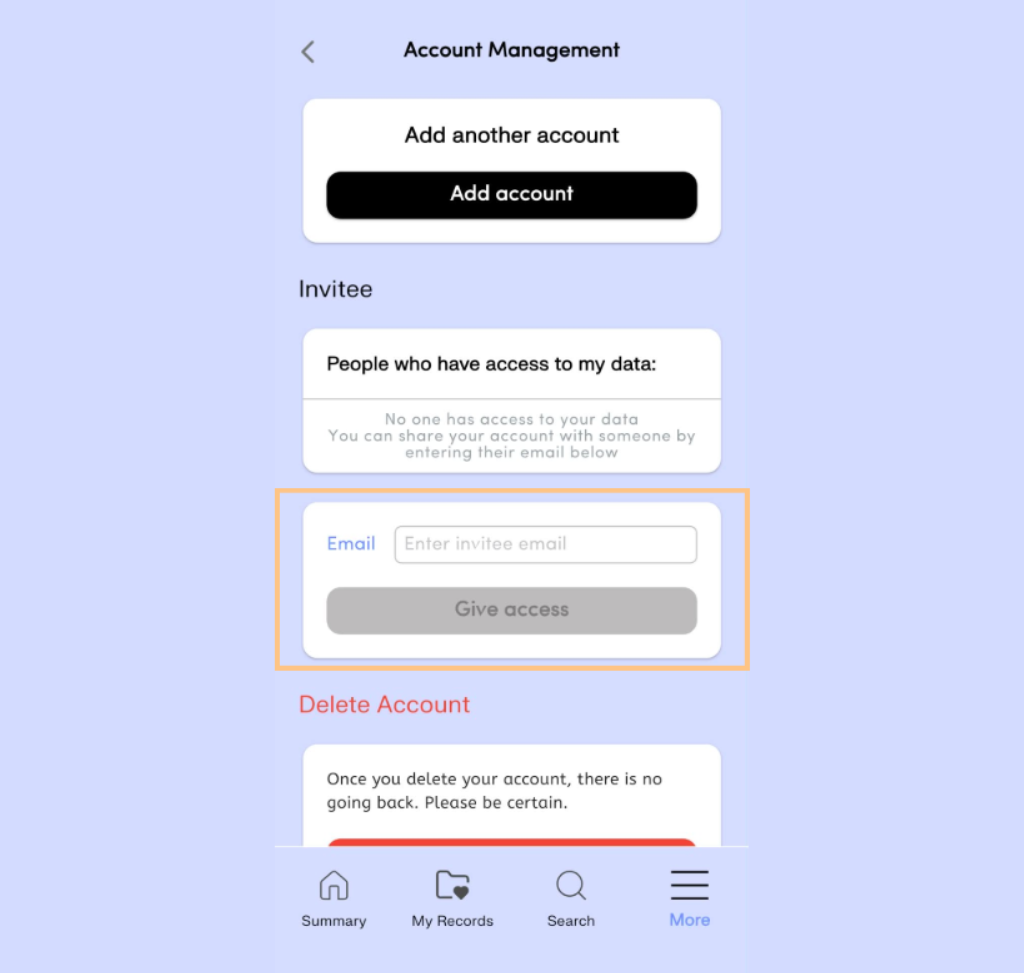
Once you have completed setting up this new sub-account, navigate back to the Account Management section of the app.
You now need to give yourself (your main account) access to the data for this sub-account (the account for your dependent).
Under the Invitee section, enter the email used for your main account and select Give access.