
Use the autopopulate function to upload records
Learn how to use the auto populate function to upload your medical records to the mA.I Health™ app.
The auto populate function enables you to use the app to request your records from your doctor and then automatically upload them for you once received from your doctor or provider.
During this process the provider receives e-mail instructions they need to follow carefully to enable the app to securely receive and upload your records. Please note, the process will not work if they do not do this.
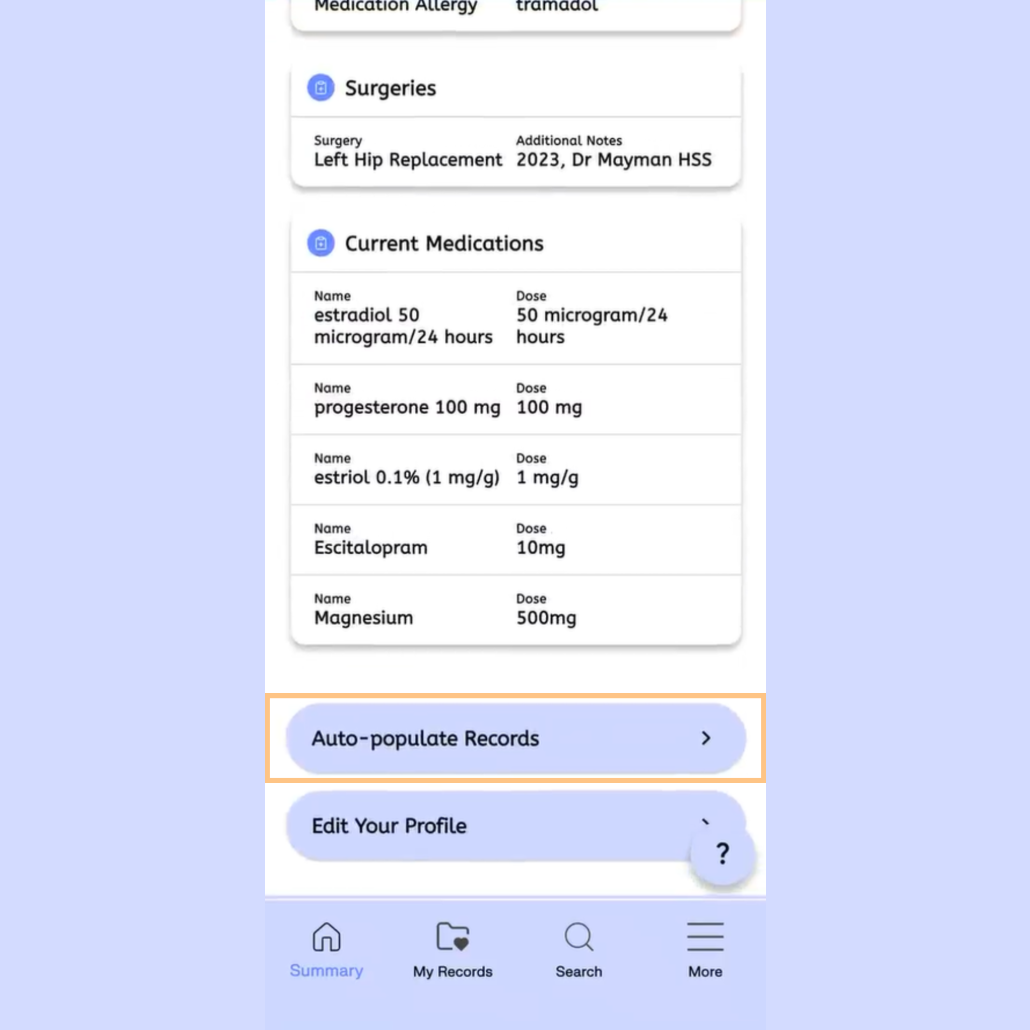
Scroll down to the bottom of your home screen and select the auto populate function.
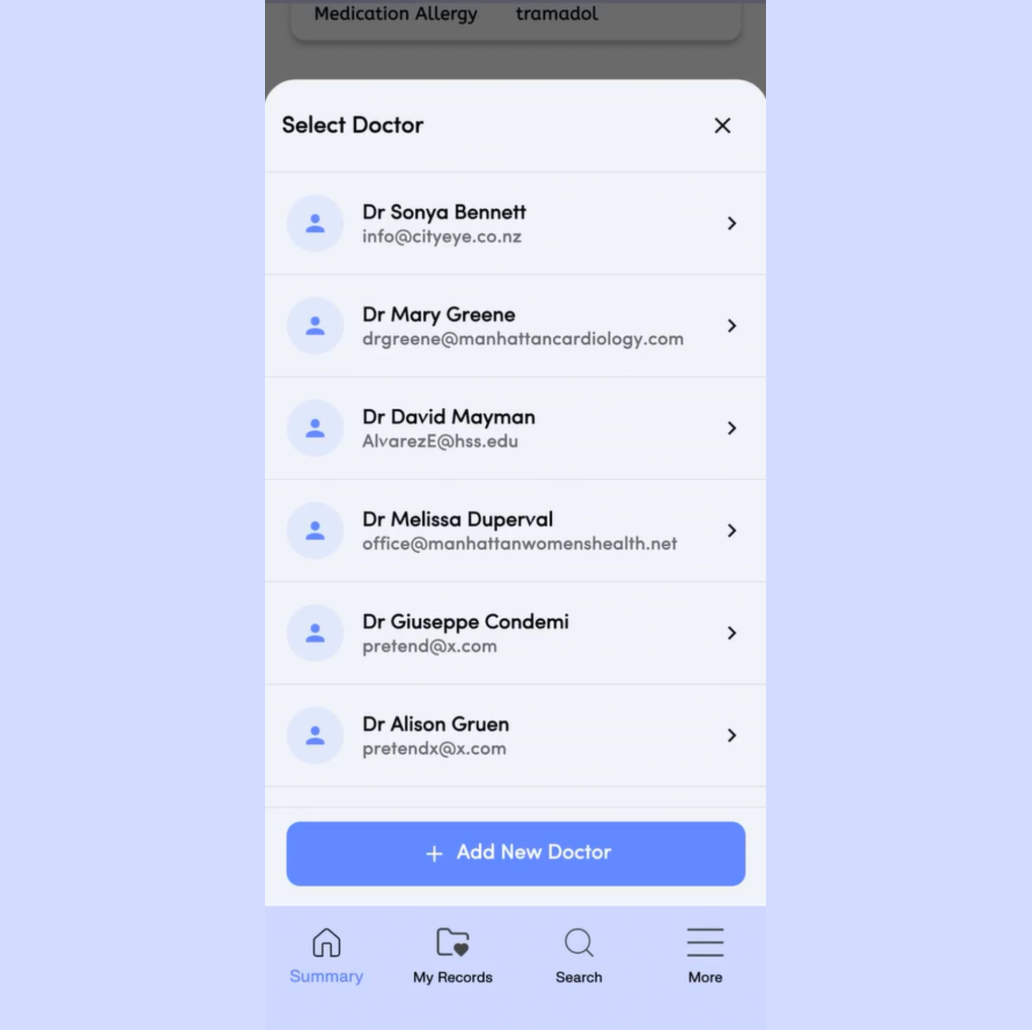
Either select from your existing list of doctors or add a new Doctor.
Any new Doctor added here will then be added automatically to your care team within My Records. If you add a new Doctor, complete the prompted details, select or add the relevant specialty and save .
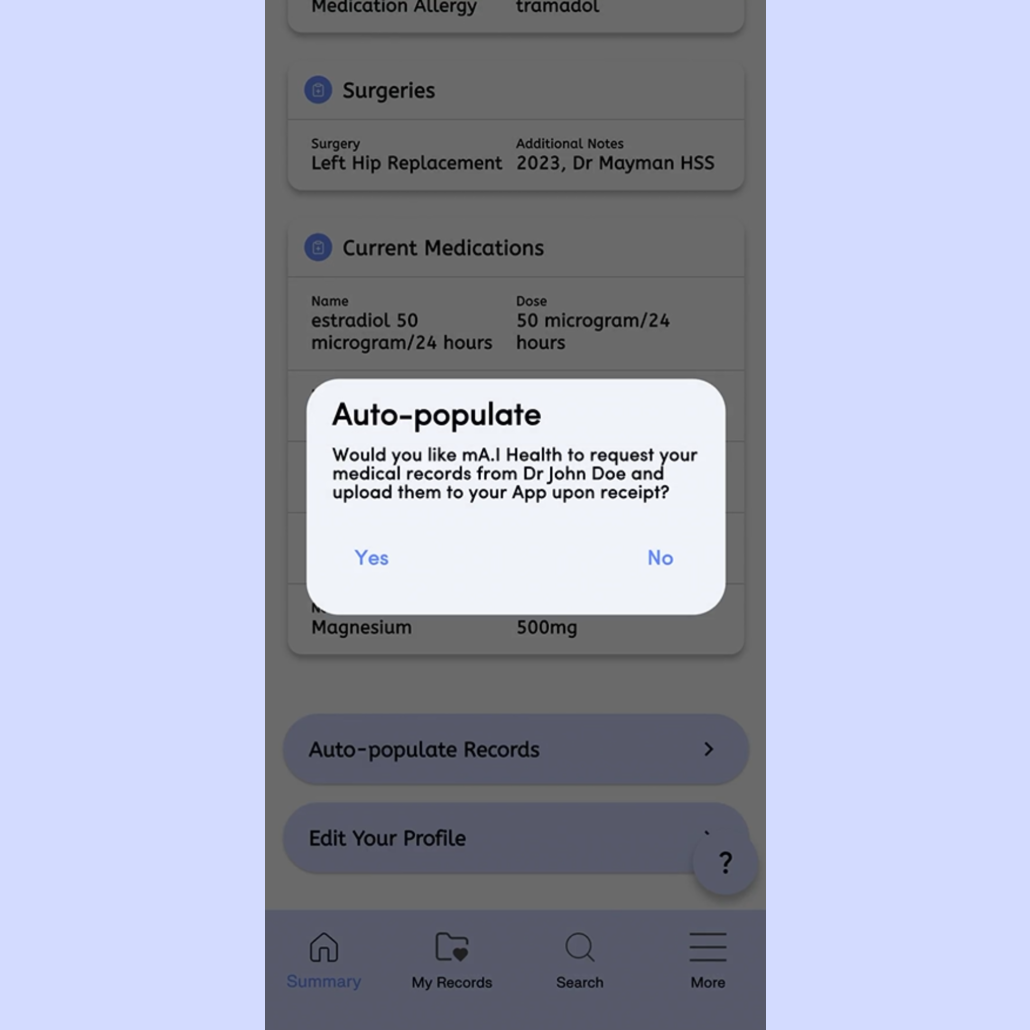
The app will ask you if you want the app to request your records from the selected doctor and upload them for you.
Select Yes.
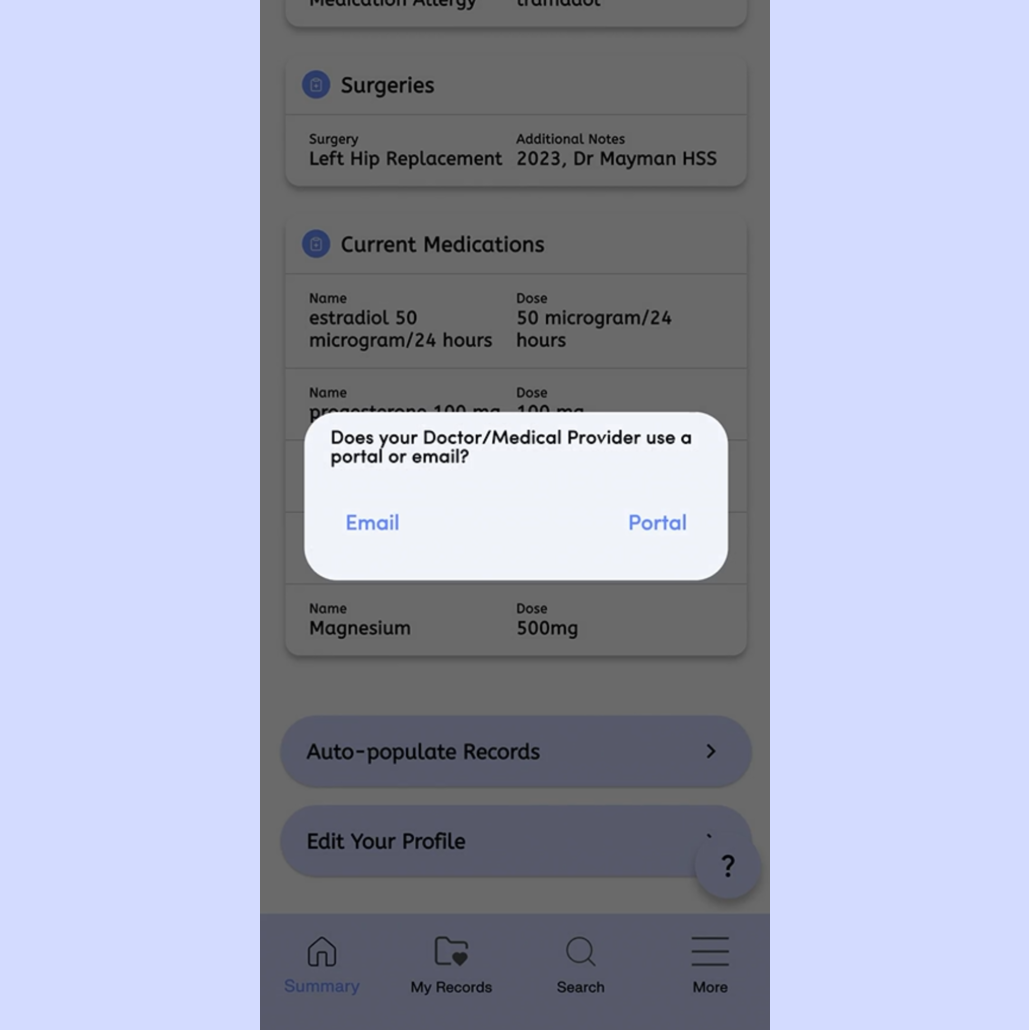
It will ask whether you communicate via e-mail or portal with your doctor. We have selected e-mail for this example. The app will prompt you through both options.
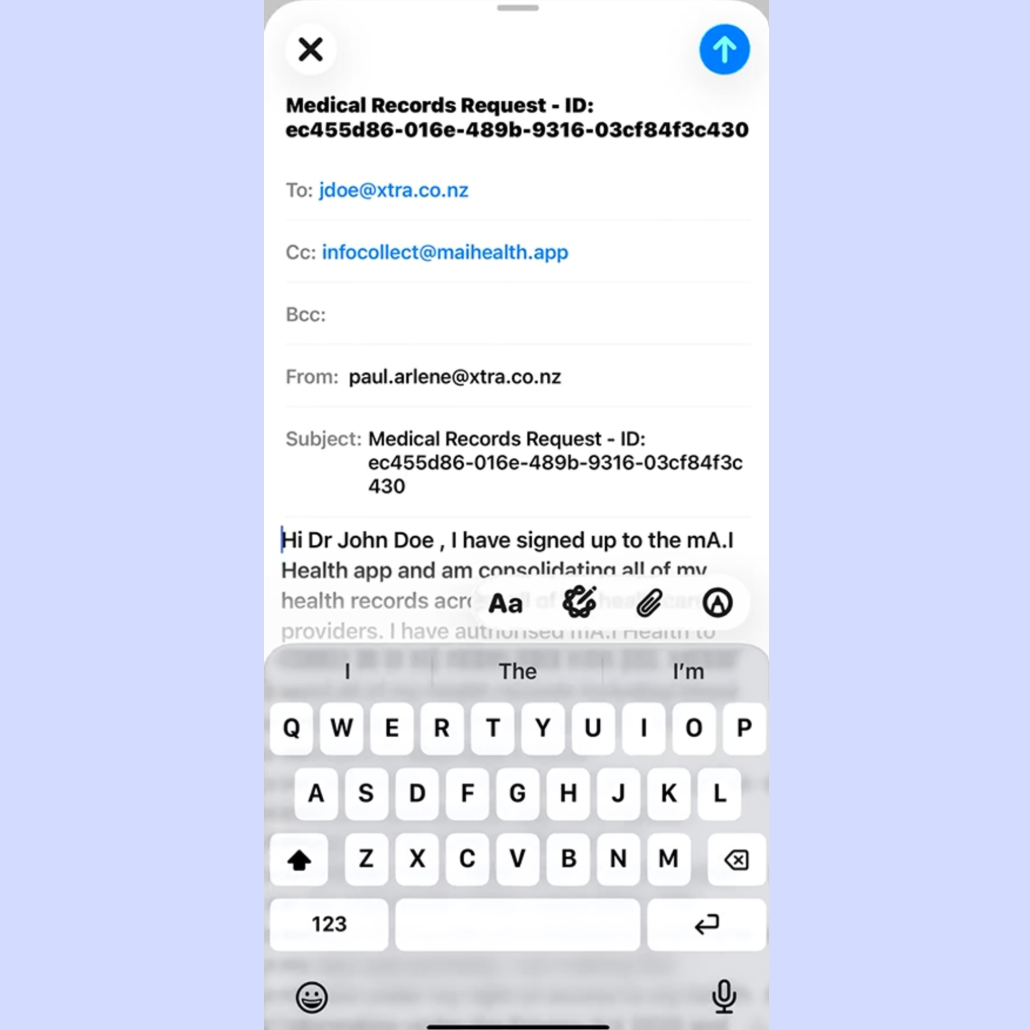
The app will then present a prepared e-mail for you to review.
You can change the e-mail address the message is sent from if you have multiple e-mail addresses.
Make sure though that you use the e-mail address stored with your provider for your records as this is how they identify you.
You can format personalise the pre populated e-mail if you wish.
Hit the send button to send the e-mail to the provider.
Check your sent folder to make sure the e-mail was sent.
You will receive an e-mail from your provider when the records are received. This may take them a few days or possible up to a week.
Contact them via phone if you don't receive them within this time period as the secure link is active for seven days and will need to affect it again. Otherwise, once you have received the e-mail, check your My Records folder, where the records received from your provider are saved for you in your app.